 Zico
વ્યવસાયો માટે
Businesses and companies on Zico
Every account starts as an individual. When you trade as a registered business or a limited company, as a buyer, seller, courier firm or warehouse, upgrade your account and add the people who work on it.
Start from your own account
Account → Sign inSign up as usual, as a buyer or a seller. The person who upgrades becomes the business account’s owner and first administrator.
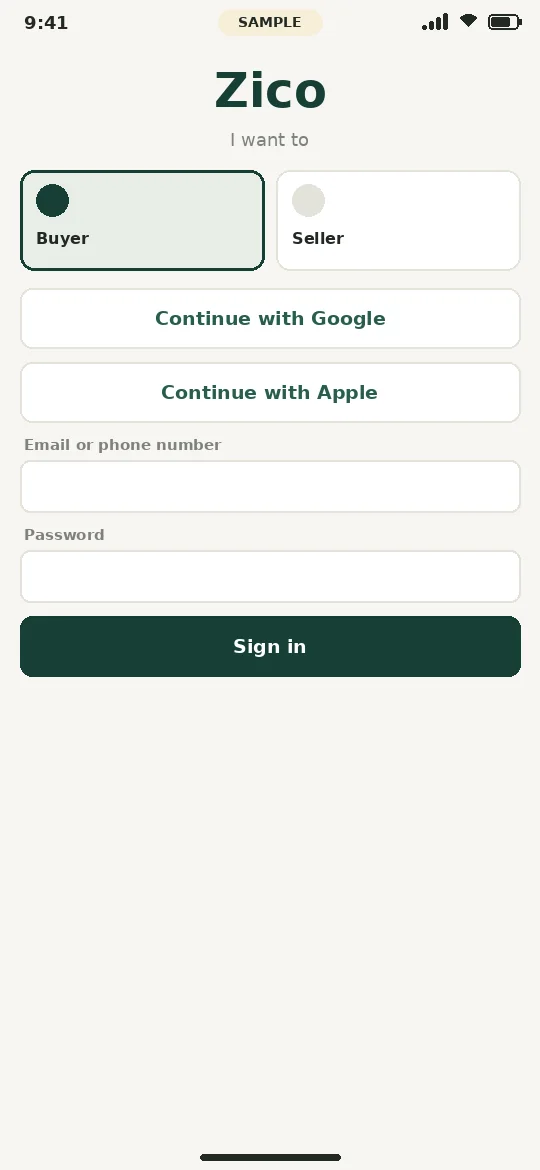
- Choose Buyer, then sign in
Choose Upgrade your account
Settings → Account typeTap Upgrade your account, then choose Business (a registered business name, sole proprietorship or partnership) or Company (a limited company). Enter the registered name and, if you have it, the registration number.
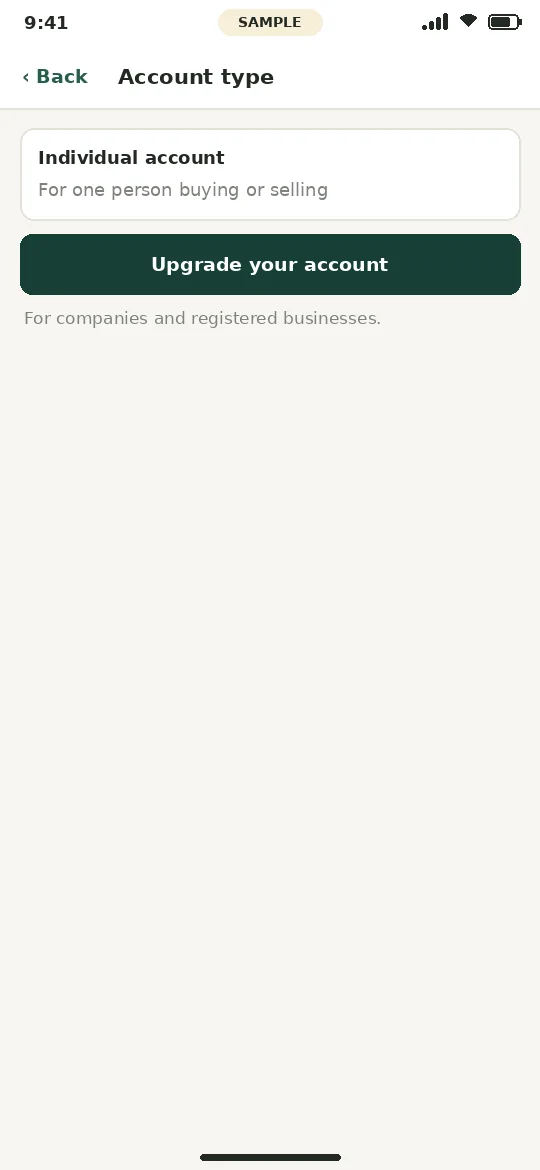
- Choose Upgrade your account
Upload each document
Settings → Account typeThe app lists the documents your type needs, each with its own Upload button and status: needed, being checked, verified or rejected. If one is rejected, the app tells you why; upload a clearer or newer copy. You keep trading as before while we check.
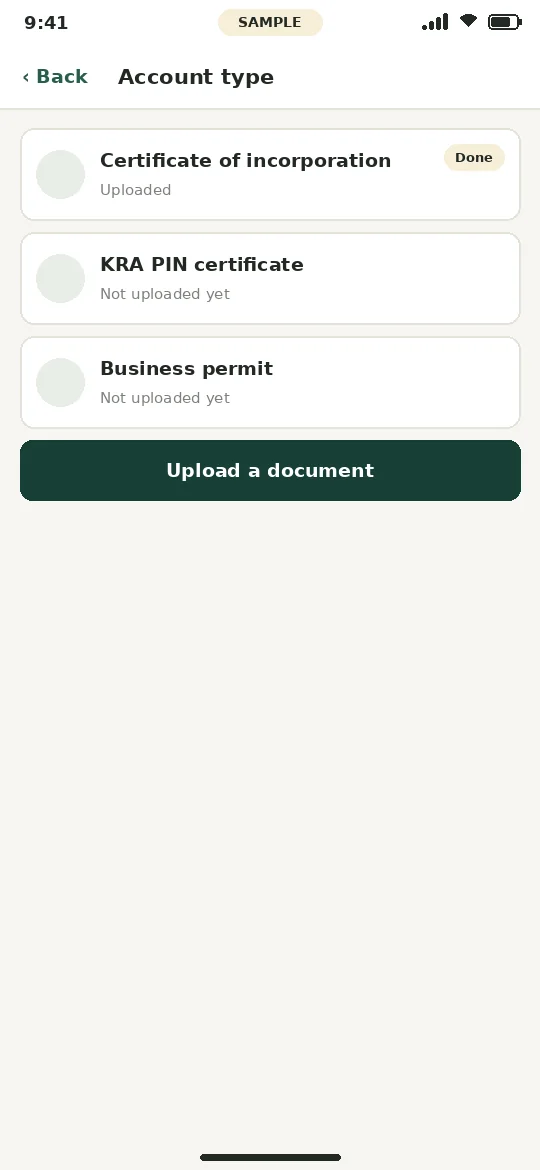
- Upload each document on the list
We verify, then upgrade you
Our verification teamOur team checks that the name and number match on every document. Once all are verified, we approve the upgrade and you get a notification. If we cannot approve it, the reason shows in Settings and you can try again.
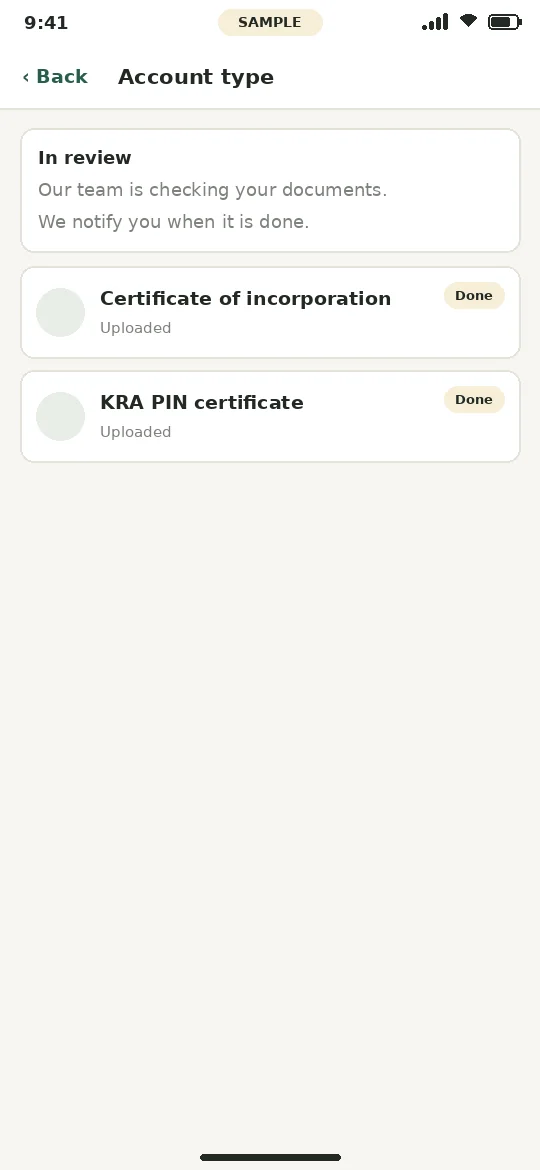
- We tell you as soon as it is approved
Add your team
Settings → TeamAdd people by the phone number or email of their Zico account (they need to sign up first), and give each a role:
- Administrator: manages the account, its documents and its team.
- Procurement: makes requests and places orders for the business.
Change a role or remove someone at any time. Team members can leave a team from their own Settings.
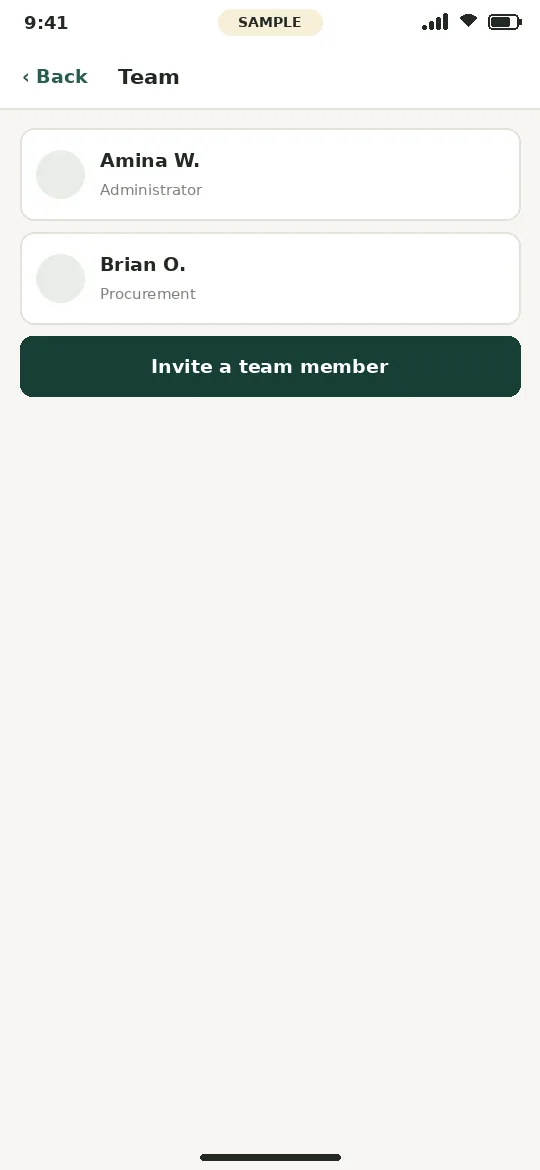
- Invite the people who buy or sell for you
એકાઉન્ટના પ્રકાર પ્રમાણે દસ્તાવેજો
| વ્યક્તિગત | શરૂઆતમાં કંઈ નહીં: દરેક એકાઉન્ટ અહીંથી શરૂ થાય છે |
|---|---|
| વ્યવસાય | બિઝનેસ નામ રજિસ્ટ્રેશન સર્ટિફિકેટ, KRA PIN સર્ટિફિકેટ, માલિકનું નેશનલ ID |
| કંપની | સર્ટિફિકેટ ઓફ ઇન્કોર્પોરેશન, CR12 (કંપનીના ડિરેક્ટરો), કંપનીનું KRA PIN સર્ટિફિકેટ, એક ડિરેક્ટરનું નેશનલ ID |
દસ્તાવેજો એપમાં ફોટો કે PDF તરીકે અપલોડ થાય છે, સંગ્રહ વખતે એન્ક્રિપ્ટ થાય છે, અને ફક્ત અમારી ચકાસણી ટીમ જ જુએ છે.
સૂચનો
નામ મેળવો
તમે દાખલ કરો તે નામ તમારા રજિસ્ટ્રેશનના દસ્તાવેજો પરના નામ સાથે બરાબર મેળ ખાવું જોઈએ.
તાજેતરનું CR12 વાપરો
તેમાં એકાઉન્ટ અપગ્રેડ કરનાર વ્યક્તિ ડિરેક્ટર તરીકે હોવી જોઈએ.
વ્યવસાય માટે ઓર્ડર આપવો
હાલમાં ખરીદ વિભાગનો સ્ટાફ પોતાના એકાઉન્ટમાંથી ઓર્ડર આપે છે. વ્યવસાયના નામે ઓર્ડર આપવાની સુવિધા હવે પછી આવી રહી છે.

Zico તમારા ફોનમાં મેળવો.
જોડાવું મફત છે. અંગ્રેજી અને સ્વાહિલીમાં ઉપલબ્ધ. કેન્યામાં iPhone અને Android પર જલદી શરૂ થઈ રહ્યું છે.