 Zico
لـالشركات
Businesses and companies on Zico
Every account starts as an individual. When you trade as a registered business or a limited company, as a buyer, seller, courier firm or warehouse, upgrade your account and add the people who work on it.
Start from your own account
Account → Sign inSign up as usual, as a buyer or a seller. The person who upgrades becomes the business account’s owner and first administrator.
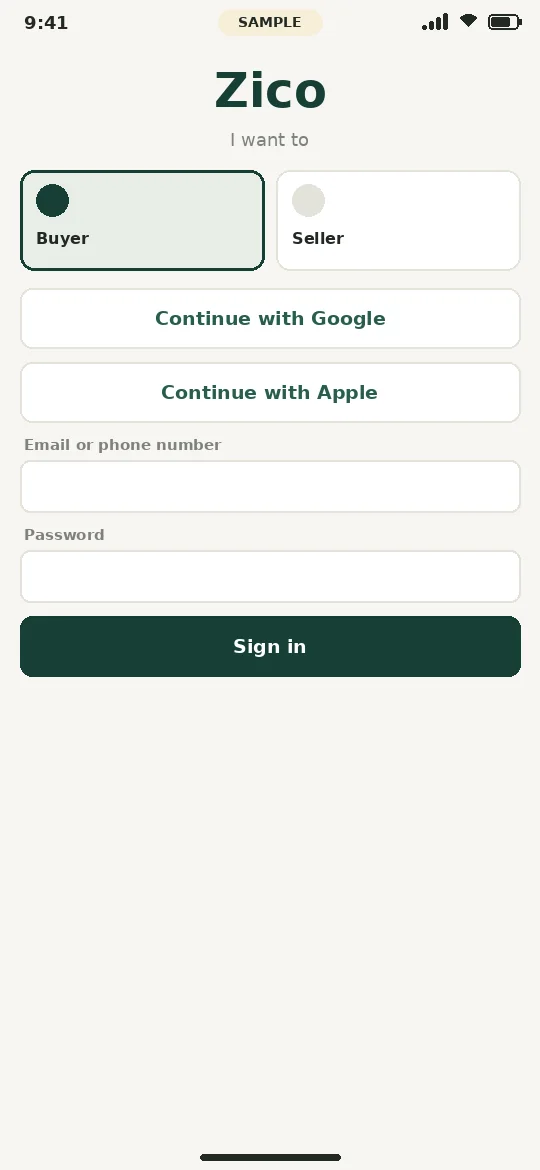
- Choose Buyer, then sign in
Choose Upgrade your account
Settings → Account typeTap Upgrade your account, then choose Business (a registered business name, sole proprietorship or partnership) or Company (a limited company). Enter the registered name and, if you have it, the registration number.
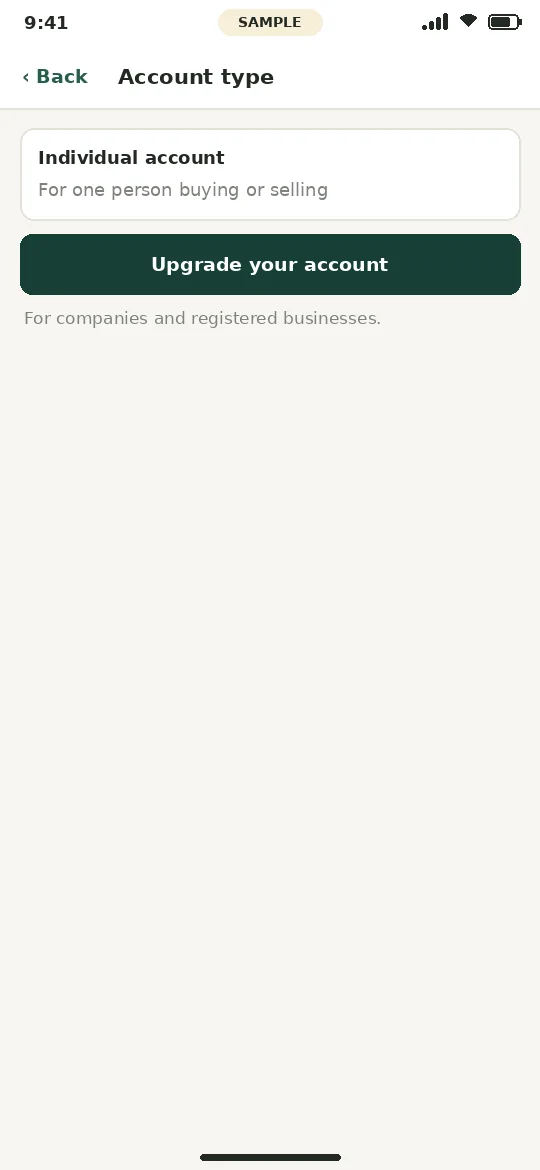
- Choose Upgrade your account
Upload each document
Settings → Account typeThe app lists the documents your type needs, each with its own Upload button and status: needed, being checked, verified or rejected. If one is rejected, the app tells you why; upload a clearer or newer copy. You keep trading as before while we check.
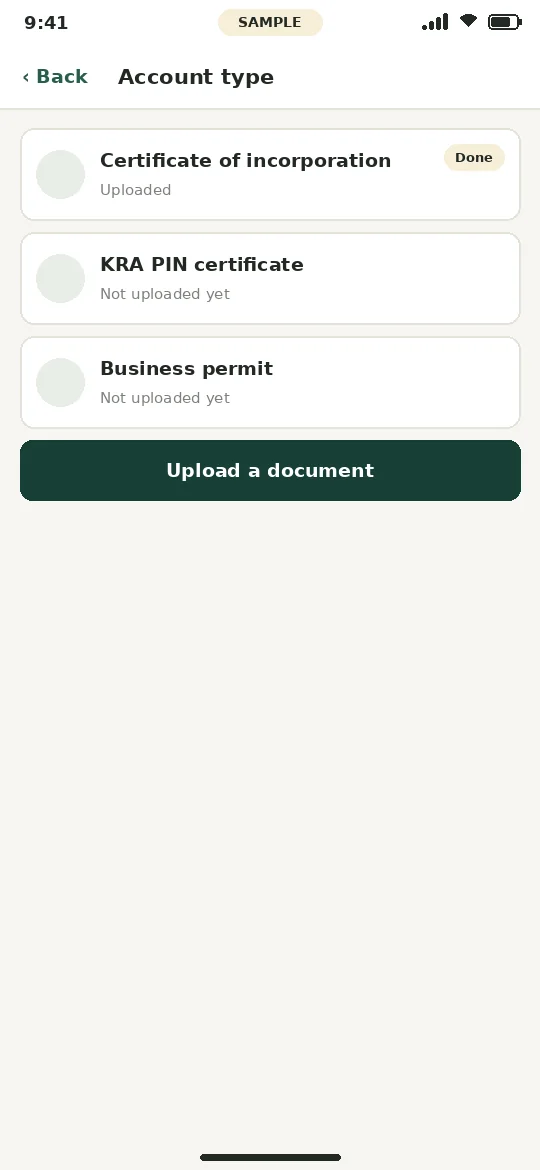
- Upload each document on the list
We verify, then upgrade you
Our verification teamOur team checks that the name and number match on every document. Once all are verified, we approve the upgrade and you get a notification. If we cannot approve it, the reason shows in Settings and you can try again.
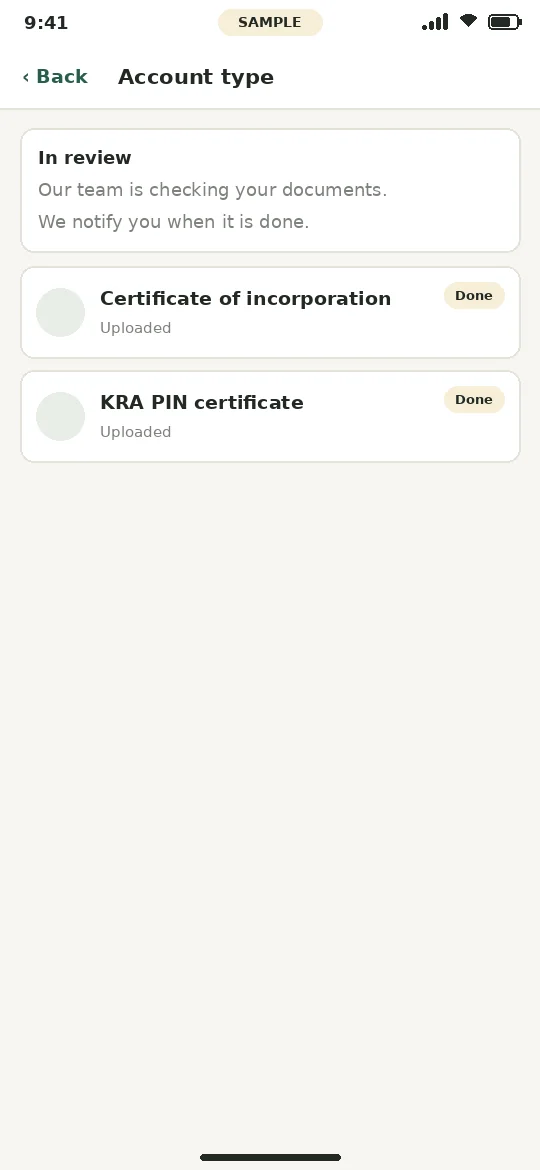
- We tell you as soon as it is approved
Add your team
Settings → TeamAdd people by the phone number or email of their Zico account (they need to sign up first), and give each a role:
- Administrator: manages the account, its documents and its team.
- Procurement: makes requests and places orders for the business.
Change a role or remove someone at any time. Team members can leave a team from their own Settings.
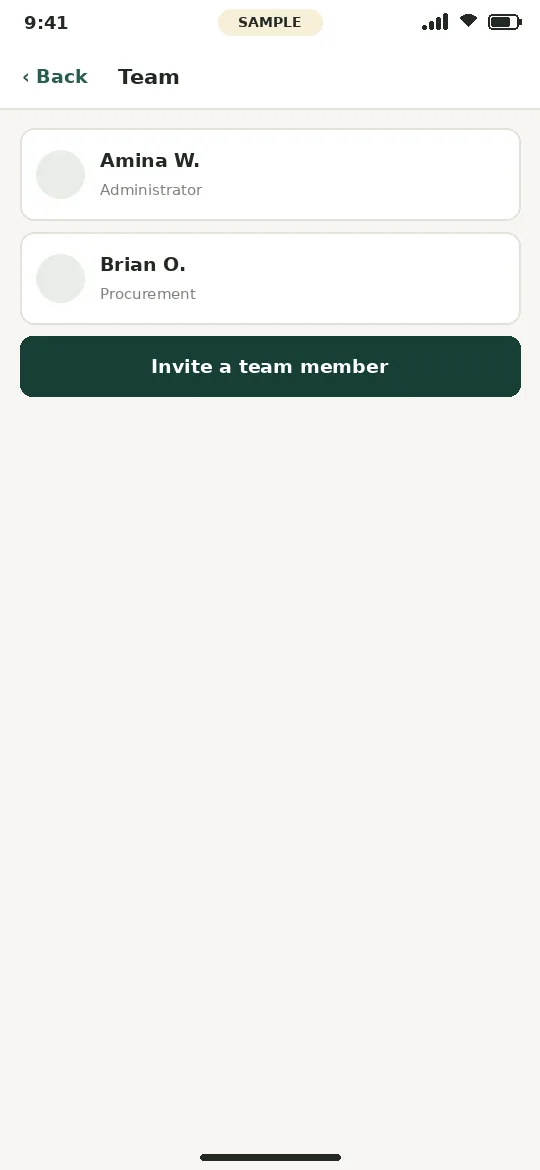
- Invite the people who buy or sell for you
المستندات حسب نوع الحساب
| فردي | لا شيء في البداية: كل حساب يبدأ من هنا |
|---|---|
| نشاط تجاري | شهادة تسجيل الاسم التجاري، وشهادة KRA PIN، وبطاقة الهوية الوطنية للمالك |
| شركة | شهادة التأسيس، ونموذج CR12 (مديرو الشركة)، وشهادة KRA PIN للشركة، وبطاقة الهوية الوطنية لأحد المديرين |
تُرفع المستندات داخل التطبيق كصورة أو ملف PDF، وتُشفَّر عند تخزينها، ولا يطّلع عليها إلا فريق التوثيق لدينا.
نصائح
طابِق الأسماء
يجب أن يطابق الاسم الذي تُدخله الاسمَ الوارد في مستندات التسجيل تمامًا.
استخدم نموذج CR12 حديثًا
يجب أن يُدرج الشخص الذي يرقّي الحساب كأحد المديرين.
الطلب باسم النشاط التجاري
حاليًا، يُنشئ موظفو المشتريات الطلبيات من حساباتهم الخاصة. والطلب باسم النشاط التجاري قادم قريبًا.

احصل على Zico على هاتفك.
التسجيل مجاني. متوفر بالإنجليزية والسواحيلية. يُطلق قريبًا في كينيا على iPhone وAndroid.