Zico
使用流程
从“有货吗?”到端上餐桌。
Zico turns the walk from stall to stall into one request. Here is what happens at each step, for the buyer and for the seller.
A buyer posts what they need
Buyer · My requestsOne item, or a whole shopping list as a bulk request, with details like variety or ripeness (for example, Type: Shangi). The request is an invitation to sellers, not an order: nothing is owed yet.
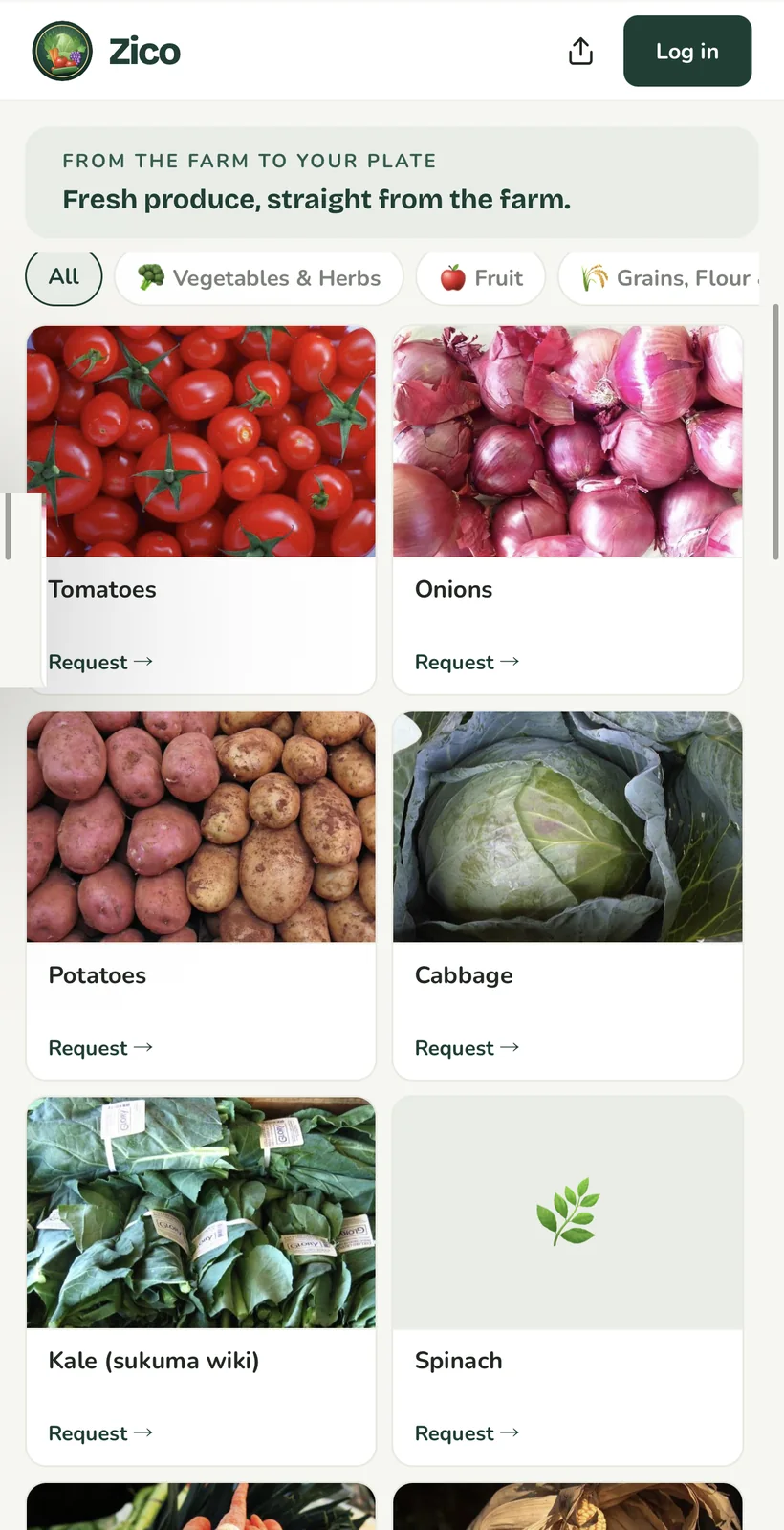
Browse produce and tap Request on what you need. - Browse by type
- Ask for it here
Sellers nearby are told straight away
Seller · Buyer requestsSellers within about 500 m of the buyer get a notification. They learn that a buyer close by needs something, and nothing about who or where they are.
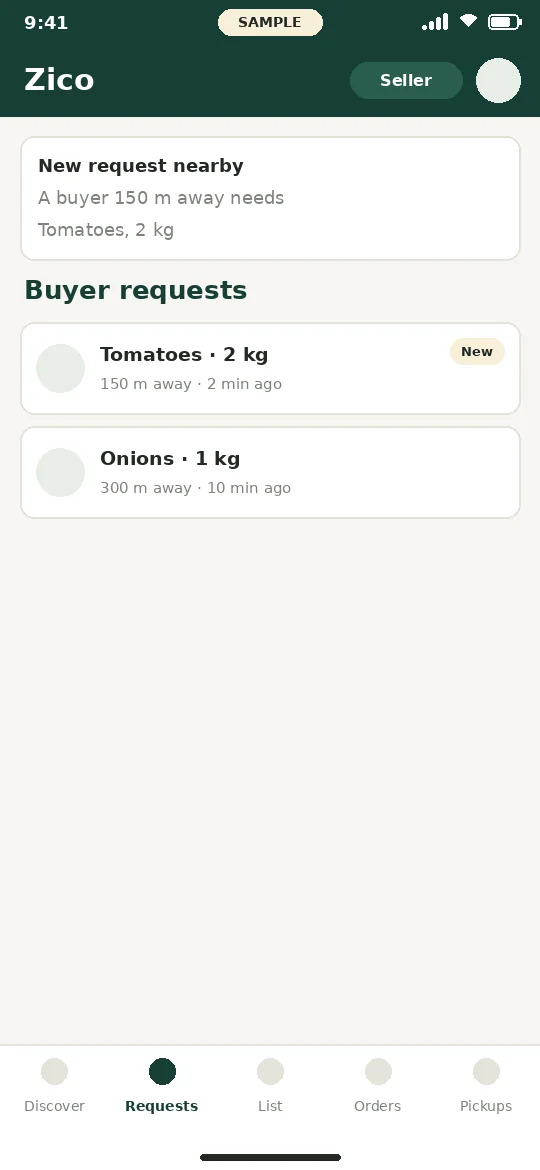
- Nearby sellers get an alert at once
Sellers send their prices
Seller · Available / Not availableEach seller who has it sends a price, how soon it will be ready, and whether the buyer can pick it up, the seller delivers for a fee, or both. Sellers who don’t have it say so, so the buyer is not left waiting.
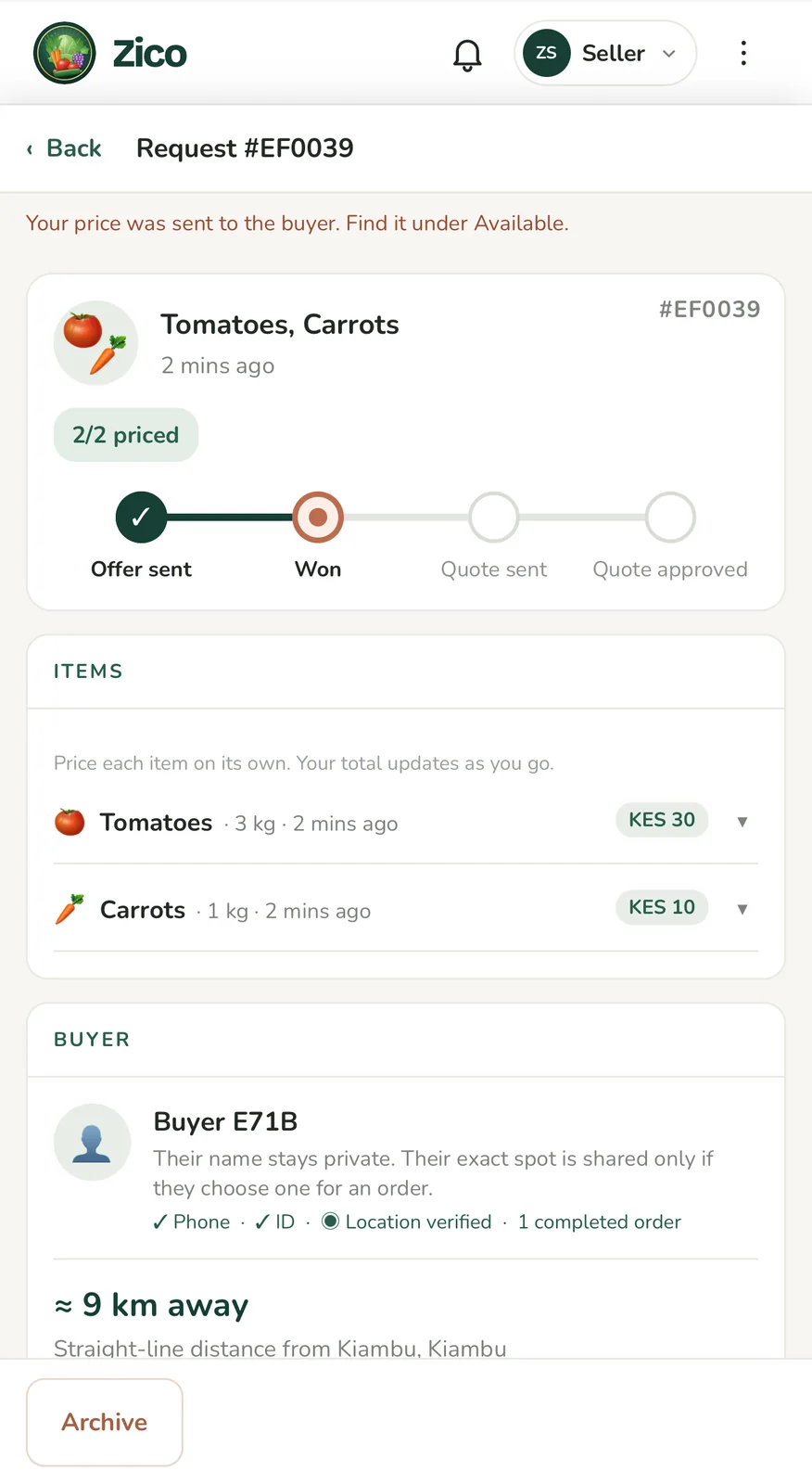
A buyer request with your price on each item. - Your price for each item
- Where your offer stands
The buyer compares and accepts
Buyer · Bid detailsPrices show side by side, cheapest first, with distance, ready time and trust badges. For a bulk request, Zico adds up each seller’s total. Accepting one bid closes that item to other sellers.
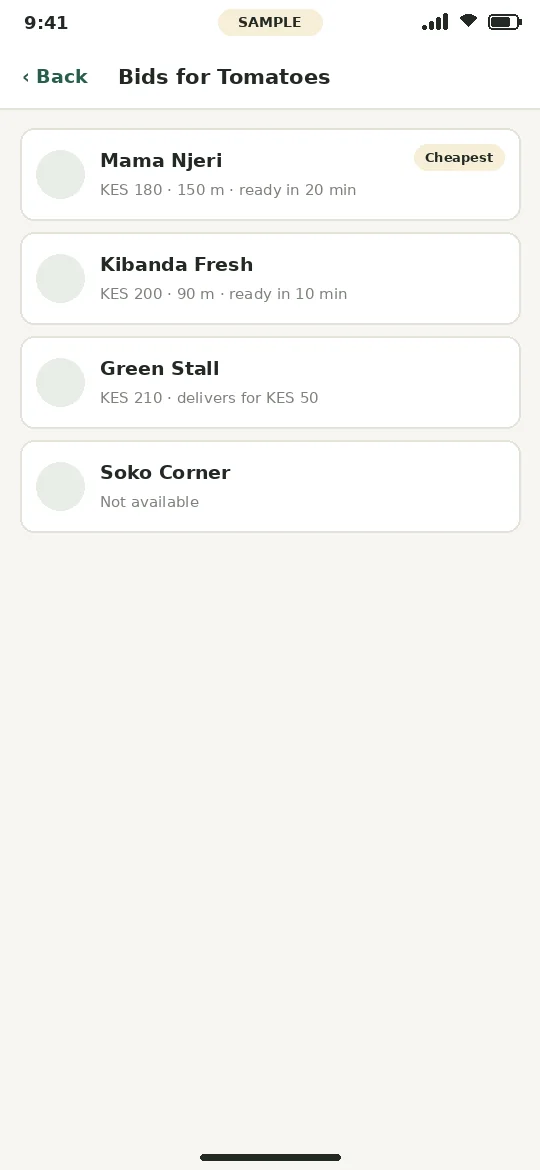
- Compare price, distance and ready time
The seller confirms; the buyer approves
Both · OrdersThe seller confirms the final total, including any packaging or delivery charge. The order only exists once the buyer approves it. From then on, both see each other’s names.
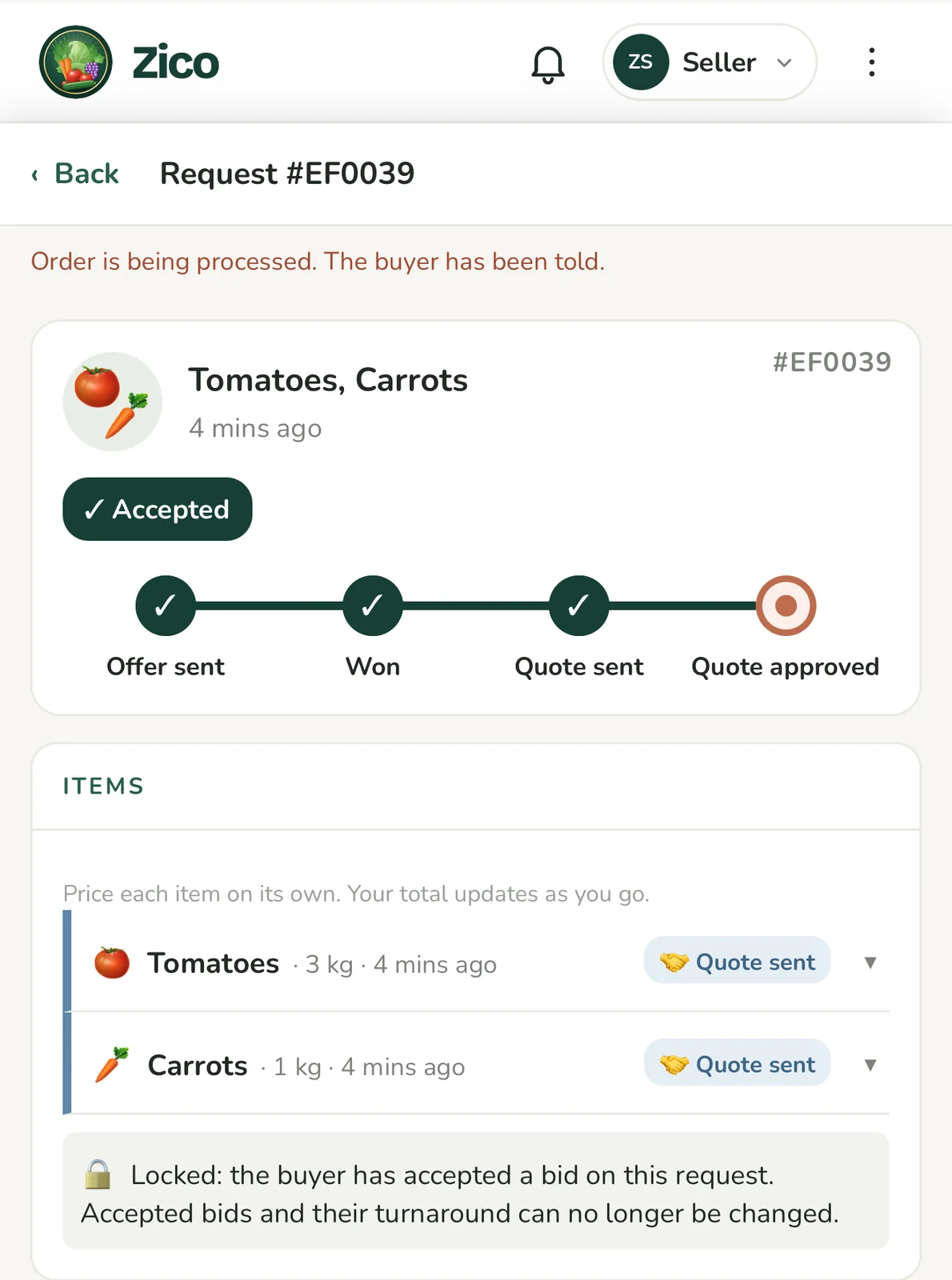
The seller's view: quote sent, then approved. - The buyer approved the quote
Pay, then collect or receive
Both · Orders and TrackPay with M-Pesa in the app, or in cash when you collect or receive your order. Zico holds an M-Pesa payment until you confirm you have your order, then pays the seller.
The buyer collects from the seller, or it is delivered. Every order ends with the buyer confirming they have it: by tapping “I’ve collected my order”, or by giving the delivery PIN at the door.
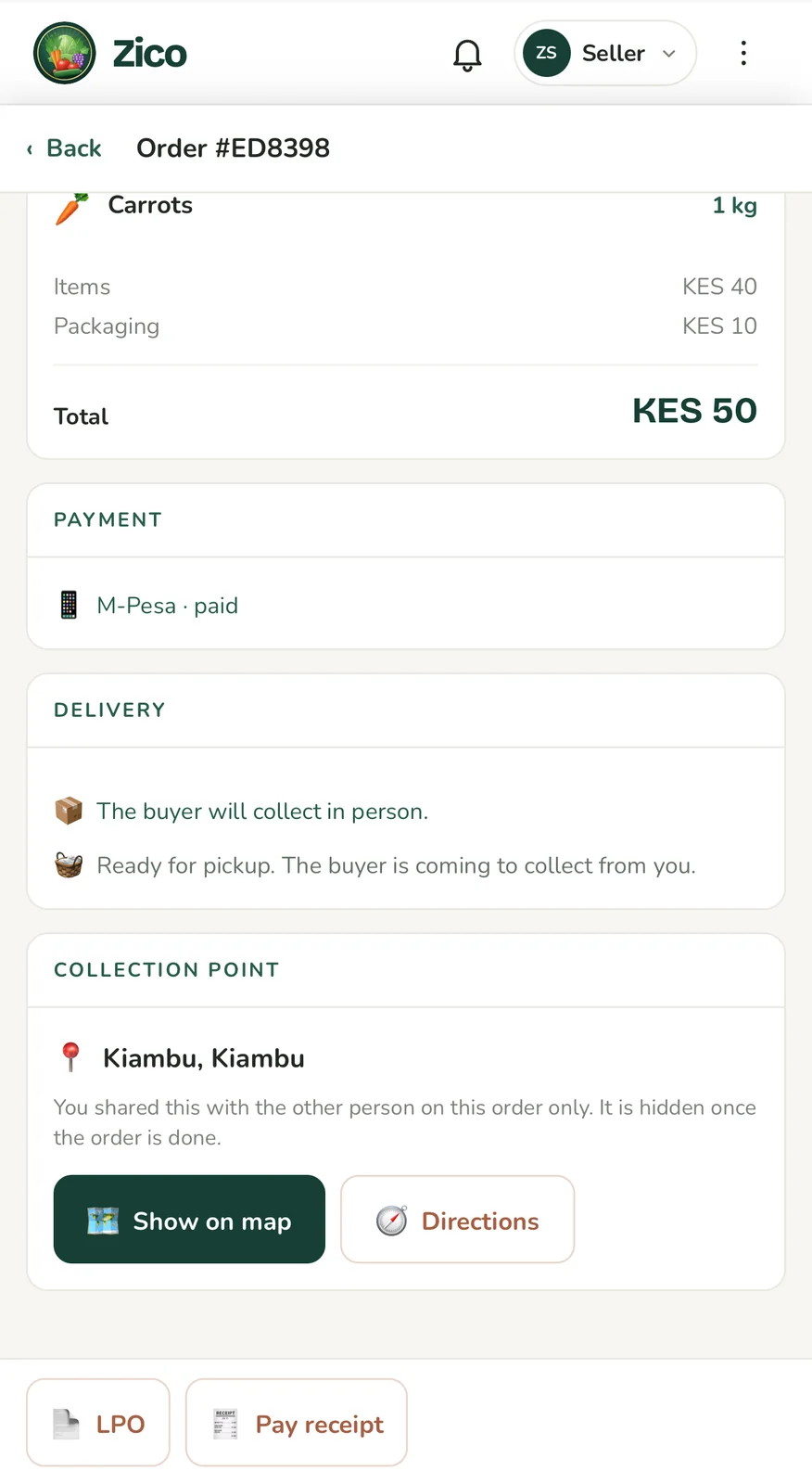
A paid order waiting for the buyer to collect. - Paid: the money is held safely
- Show the buyer where to collect
送到您手中
订单送达买家的三种方式。
卖家在报价中注明提供哪些方式,买家在接受报价时选择。
买家自取
不收费。适合卖家就在步行可达的地方。卖家确认收款,买家确认已取货。
卖家送上门
按报价中显示的配送费收费。买家检查订单无误后,提供 4 位数 PIN 码。
由配送员运送
适用于较远的卖家。配送员从卖家处取货,有时会经过城市仓库中转,每次交接都用交接码确认。